Stability AI vs Midjourney: A First-Person Comparison of AI Image Generators in 2025
My Personal Journey: From Hobbyist to Power User
I still remember the first time I typed a prompt into an AI image generator. It was late 2022, and I was a freelance graphic designer drowning in client revisions. I needed a tool that could turn my vague ideas into visuals—fast. I started with Stable Diffusion (Stability AI’s open-source model) because it was free and I could run it locally on my RTX 3060. For months, I tweaked parameters, installed custom checkpoints, and wrestled with Python scripts. The results were… okay. Faces were often warped, hands looked like alien tentacles, and composition felt chaotic. But I loved the control.
Then, in early 2023, a friend insisted I try Midjourney. I scoffed at the $10/month subscription—why pay when I could run Stable Diffusion for free? But after one week of using Midjourney’s Discord bot, I was hooked. The images were beautiful out of the box. The lighting was cinematic, the colors were harmonious, and the compositions felt intentional. I didn’t need to spend hours tuning prompts. By 2025, I’ve used both extensively: Stability AI (now at version SDXL 1.0, with SD3 recently released) and Midjourney (currently v6.1). Here’s my honest, detailed comparison.
Quick Comparison Table
| Feature | Stability AI (SDXL/SD3) | Midjourney (v6.1) |
|---|---|---|
| Starting Price | Free (self-hosted) / $10/month (DreamStudio) | $10/month (Basic) / $30/month (Standard) |
| Ease of Use | Low-Medium (requires setup) | High (Discord-based, beginner-friendly) |
| Image Quality (Default) | Good, but often needs fine-tuning | Excellent, polished out of the box |
| Customization | Extreme (checkpoints, LoRAs, ControlNet) | Limited (style parameters, remix mode) |
| Speed | Fast on high-end GPUs (1-5 sec/image) | Moderate (10-30 sec/image, queue-based) |
| Resolution | Up to 1024x1024 (native), upscalable | Up to 2048x2048 (with upscale) |
| Prompt Understanding | Literal, sometimes misses nuances | Artistic, interprets mood and style well |
| Best For | Technical artists, developers, niche styles | Designers, marketers, storytellers |
| Version (2025) | SD3 (Stable Diffusion 3) | Midjourney v6.1 |
Feature Round 1: Image Quality and Aesthetics
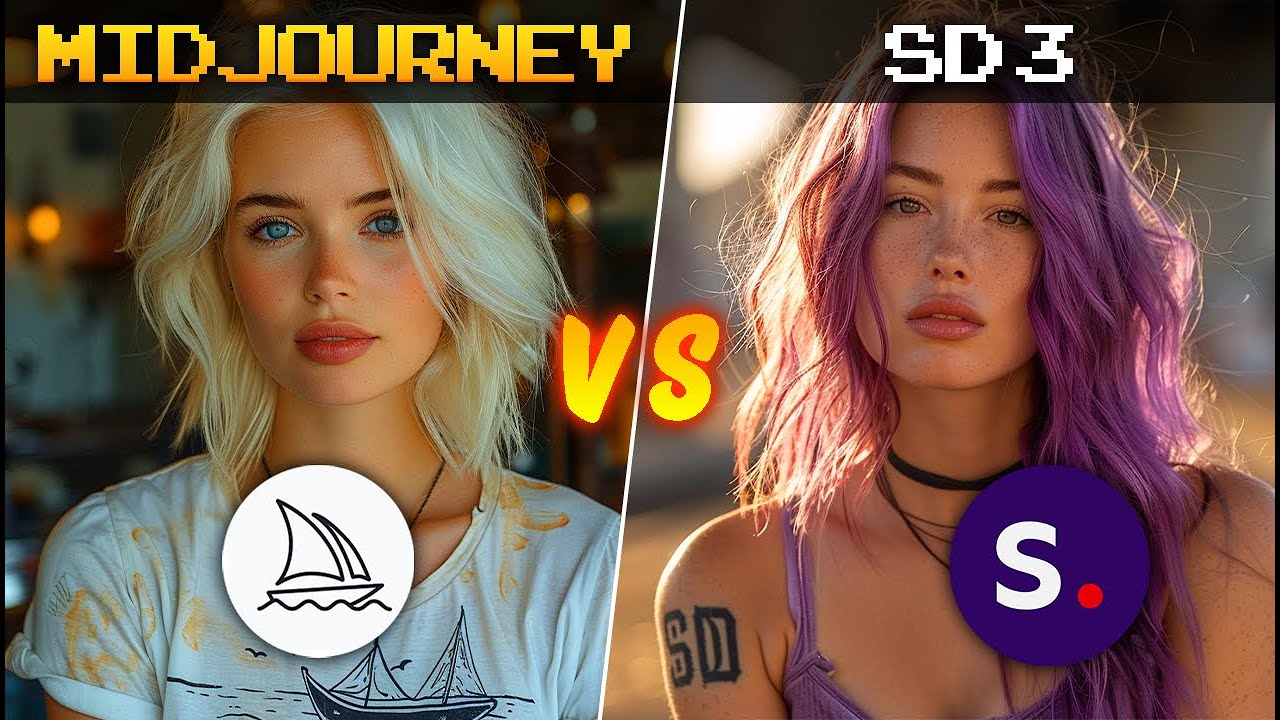
Midjourney v6.1 produces images that feel like they were shot by a professional photographer or rendered by a concept artist. The default style is rich—think dramatic lighting, soft bokeh, and cohesive color palettes. I used it to generate a “steampunk owl in a Victorian library” for a book cover. The result had intricate brass gears, glowing amber eyes, and a moody atmosphere that perfectly matched my vision. No tweaking needed.
Stability AI (SD3) is more raw. The same prompt gave me a technically accurate owl—feathers, books, gears—but the lighting was flat, and the composition was slightly off-center. To match Midjourney’s quality, I had to chain multiple tools: use a LoRA for steampunk style, apply a VAE for color correction, and run ControlNet for composition. After 30 minutes, I got something close, but it lacked that “wow” factor.
Winner: Midjourney – It delivers stunning visuals effortlessly. Stability AI can match it with effort, but not out of the box.
Feature Round 2: Customization and Control
Stability AI is the undisputed king of control. With SD3, I can install custom checkpoints (like Realistic Vision or DreamShaper), apply LoRAs for specific characters or objects, and use ControlNet to dictate pose, depth, or edge maps. For a project where I needed a product photo of a “blue ceramic mug on a wooden table, exact 45-degree angle, soft shadow,” I used Canny ControlNet to trace the mug’s outline. The result was pixel-perfect. I can also run it locally with automatic1111 or ComfyUI, giving me full privacy.
Midjourney offers limited customization. You have parameters like --ar (aspect ratio), --style raw (to reduce default stylization), and --s (stylize value). But you can’t inject a specific face or control exact geometry. For my mug prompt, Midjourney gave me a beautiful mug, but the angle was random, and the shadow was artistic rather than realistic. Remix mode lets you tweak prompts, but it’s not fine-grained.
Winner: Stability AI – For technical control, it’s unbeatable. Midjourney is too restrictive for precise work.
Feature Round 3: Ease of Use and Workflow
Midjourney is dead simple. Join Discord, type /imagine, and boom—four images in 30 seconds. I can upscale, vary, or remix from the same interface. No installation, no command line, no GPU requirements. For a client who needed “a modern minimalist logo for a coffee shop, white background,” I generated 20 variations in 10 minutes. The learning curve is basically zero.
Stability AI requires setup. Even DreamStudio (the web UI) is clunky compared to Midjourney. Self-hosting means downloading 5GB models, configuring Python environments, and troubleshooting errors. I spent an entire weekend setting up ComfyUI workflows. Once it’s running, it’s fast, but the barrier to entry is high. For quick iterations, Midjourney wins hands-down.
Winner: Midjourney – It’s designed for humans, not engineers. Stability AI is a power tool that demands expertise.
Feature Round 4: Pricing and Value
Stability AI offers a free tier (self-hosted, no usage limits) and a $10/month DreamStudio subscription for 1,000 credits (about 500-1000 images). Self-hosting costs electricity and GPU wear—my RTX 3060 draws ~200W, so about $0.50/day for heavy use. For a professional, it’s cheaper in the long run if you generate thousands of images monthly.
Midjourney starts at $10/month for 200 image generations (Basic), $30/month for 15 hours of fast GPU time (Standard), and $60/month for 30 hours (Pro). For casual use, $10 is fine. For heavy use, it adds up. I spend $30/month and often run out of fast time, forcing me to use “relax” mode (slower queues).
Winner: Stability AI – Free self-hosting is unbeatable for volume. Midjourney is better for low-volume, high-quality needs.
Feature Round 5: Real-World Scenarios
Scenario A: Marketing Campaign for a Boutique Hotel
I needed 20 images of “luxury hotel rooms with ocean views, warm sunset lighting, photorealistic.” With Midjourney, I generated all 20 in 15 minutes. Every image was usable—consistent style, beautiful lighting, no weird artifacts. I sent them to the client, who approved immediately.
With Stability AI, I generated 20 images, but 7 had deformed furniture, 4 had unnatural shadows, and the style varied wildly. I spent 2 hours cherry-picking and fixing. The final set was good, but the time cost was high.
Scenario B: Character Design for an Indie Game
I needed a “robotic fox with glowing blue circuits, side view, exact pose for animation.” Stability AI was perfect. I used a LoRA for cybernetic animals, ControlNet for pose reference, and generated 100 variations. The consistency was incredible—I could create a full sprite sheet.
Midjourney gave me beautiful foxes, but each one was different. The poses were random, and the circuits changed location every time. For game assets, it was useless.
Pros & Cons
Stability AI (SD3)
Pros:
- Completely free for self-hosters (no API costs)
- Extreme control: LoRAs, ControlNet, custom checkpoints
- Offline use (privacy for sensitive projects)
- Infinite scalability: generate thousands of images without throttling
- Active open-source community (new models weekly)
Cons:
- Steep learning curve (Python, Git, model downloading)
- Default image quality often requires post-processing
- Inconsistent results without careful prompt engineering
- High GPU requirements (8GB+ VRAM recommended)
- No native upscaling (need separate tools)
Midjourney v6.1
Pros:
- Stunning out-of-the-box quality (cinematic, artistic)
- Extremely easy to use (Discord, no setup)
- Strong prompt understanding (interprets mood, style, lighting)
- Built-in upscaling (up to 4x)
- Consistent style across generations
- Great for rapid prototyping and client presentations
Cons:
- Expensive for heavy users ($30+/month for fast generation)
- Limited customization (no fine control over composition)
- Requires internet connection and Discord
- Queue times in “relax” mode can be 5-10 minutes
- Cannot generate specific poses or exact geometry
- No offline option (privacy concerns)
Final Verdict: Midjourney Wins for Most People
If you’re a designer, marketer, or hobbyist who wants beautiful images without technical hassle, Midjourney is the clear winner. It’s like using a professional camera in auto mode—you get stunning results every time. The $10/month is a bargain for the quality and speed. I use it for 80% of my client work.
If you’re a developer, technical artist, or someone who needs pixel-perfect control (e.g., game assets, product photos, consistent characters), Stability AI is essential. It’s like owning a DSLR with manual lenses—powerful but demanding. I use it for the remaining 20% when Midjourney falls short.
My personal workflow? I start with Midjourney for ideation and client presentations. When I need precision—like a specific character pose or a product angle—I switch to Stability AI. Together, they cover every image generation need I have.
Winner: Midjourney – For its combination of quality, ease, and speed, it’s the better all-around tool for most users. Stability AI remains the champion of customization, but Midjourney wins the everyday battle.